To do this, the email message needs to have a property set - "BodyIsHTML" needs to be set to true.
The attached plugin will do that for when emailing from the debtor statements form:
Then the body text needs to be set as HTML - this is found in the Debtor tab of the System Configuration form - locate the "EmailDebtorStatementBody" setting and replace it with your own HTML.
With the attached plugin, and the following HTML:
- Code: Select all
    <h1><font color="blue">Customer Statement</font></h1>
    Dear Customer,</br>
    </br>
    Please find attached your latest debtor statement.</br>
    </br>
    Regards,</br>
    </br>
    Jiwa Financials<br />
    <br />
    <img src="http://www.jiwa.com.au/images/logo.png" />
The email renders like this:
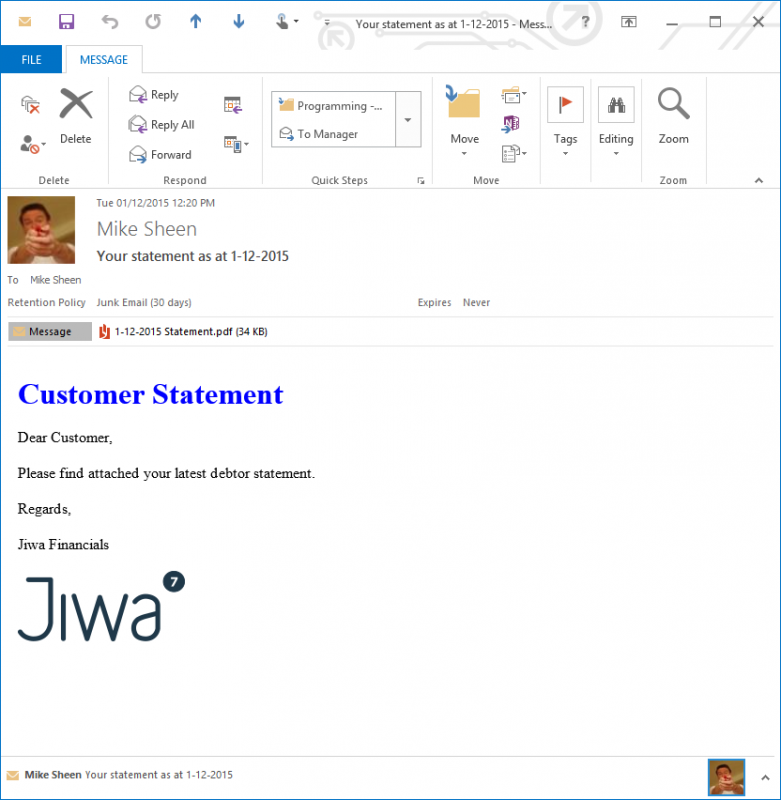
- Rendered Email
You may have trouble putting the HTML in the system setting if it contains line feeds and you are trying to paste it in. In that case, using a SQL query you can perform the update instead:
- Code: Select all
UPDATE SY_SysValues
SET Contents = '
    <h1><font color="blue">Customer Statement</font></h1>
    Dear Customer,</br>
    </br>
    Please find attached your latest debtor statement.</br>
    </br>
    Regards,</br>
    </br>
    Jiwa Financials<br />
    <br />
    <img src="http://www.jiwa.com.au/images/logo.png" />
'
WHERE IDKey = 'EmailDebtorStatementBody'
AND Section = 'DebtorParams'
Mike
 Posted: Mon Nov 30, 2015 2:08 pm
