At the desired point in the plugin, put in the following line:
- Code: Select all
System.Diagnostics.Debugger.Break();
In your particular case, we were interested in debugging why the Export of Inventory items from Jiwa to Magento was failing, so you want to find a method named "CreateOrUpdateMagentoProductsFromJiwa" and put your breakpoint there.
- Code: Select all
public void CreateOrUpdateMagentoProductsFromJiwa(MagentoIntegration MagentoIntegration, IntegrationAction IntegrationAction, BackgroundWorker worker, DoWorkEventArgs e)
        {
         System.Diagnostics.Debugger.Break();

            // Read the entire queue
            MagentoIntegration.Queues["Jiwa Inventory"].QueueCollection.Read(new MagentoQueueItem.ItemStatuses[] { MagentoQueueItem.ItemStatuses.Pending, MagentoQueueItem.ItemStatuses.Exception });
            MagentoIntegration.LogActivity(String.Format("Found {0} items in queue '{1}'", MagentoIntegration.Queues["Jiwa Inventory"].QueueCollection.Count, MagentoIntegration.Queues["Jiwa Inventory"].QueueCollection.QueueName), JiwaMagento.IntegrationAction.LoggingPolicyTypes.Verbose, IntegrationAction);
Save the plugin changes, quit Jiwa and log back in.
Now load up Visual Studio (Any version should do, but I'm using VS 2015).
Press CTRL-ALT-P to load the "Attach to process" dialog - find Jiwa.exe in the list of processes and press the "Attach" button.
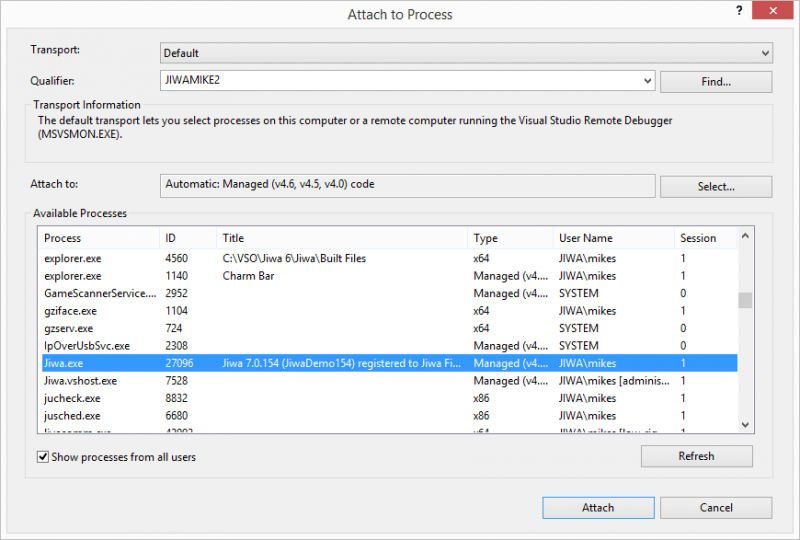
- Attach to Process Dialog
Now back in Jiwa, we just need to run a configuration to hit the break point - To keep things simple, create a new Configuration and just add the "Export Jiwa Inventory Items" to the selected actions:
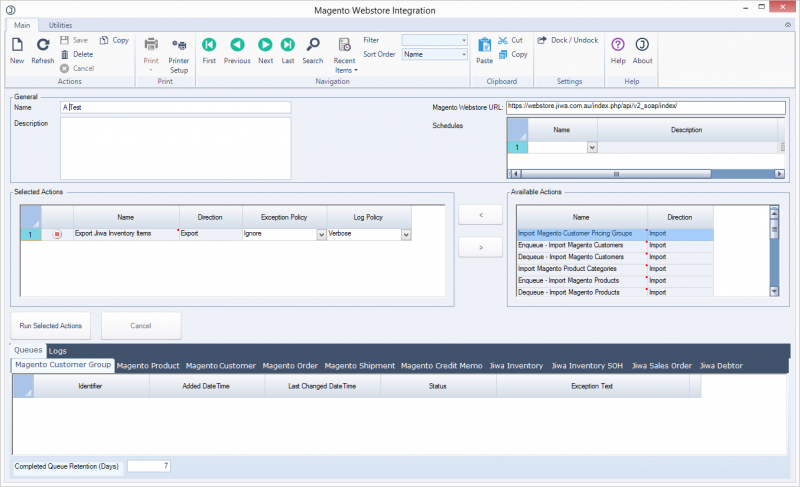
- Test Integration Action
Save the action, then press the "Run Selected Actions" button - Visual Studio will then appear:
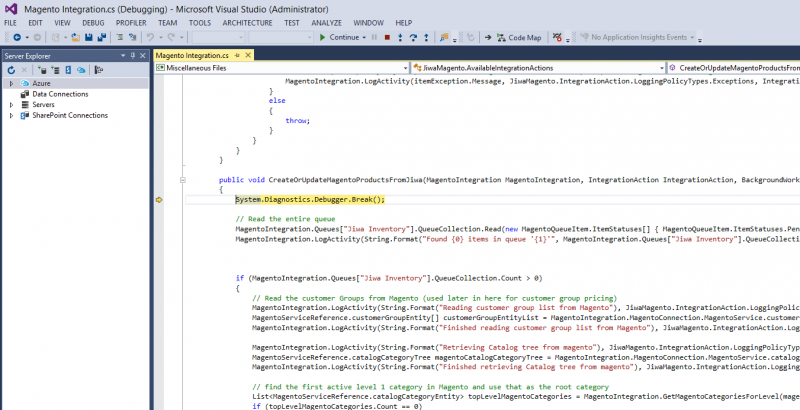
- Visual Studio Debugging
From there you can step through the code and examine variable/object contents as you go.
Now - Ahmed - for your problem this isn't going to help you because I've found even using SOAPUI I get a fault when talking to your store - I'll talk about that some more on
your thread.



