Hi Tony,
Not sure what you mean by another set of custom fields.
Custom fields are added by creating a plugin, and defining them per form via the plugin maintenance form:
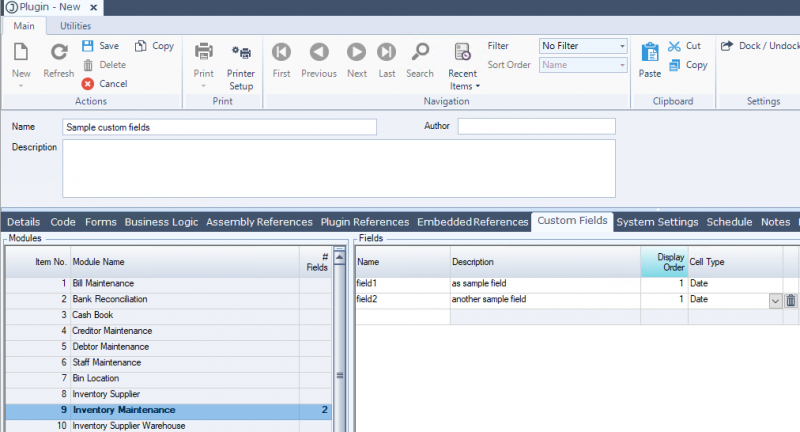
- Defining custom fields in a plugin
Once defined, the Custom Fields tab of the inventory maintenance form will display the fields and allow the user to edit the values for the item. Each field has a column indicated which plugin the field came from:
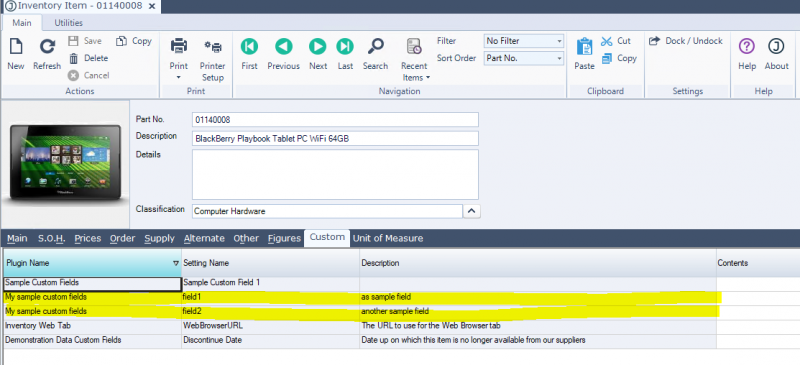
- Custom fields shown on Inventory Maintenance
An alternative to this is to create an Inventory Attribute Group - this lets you define many fields for a group:
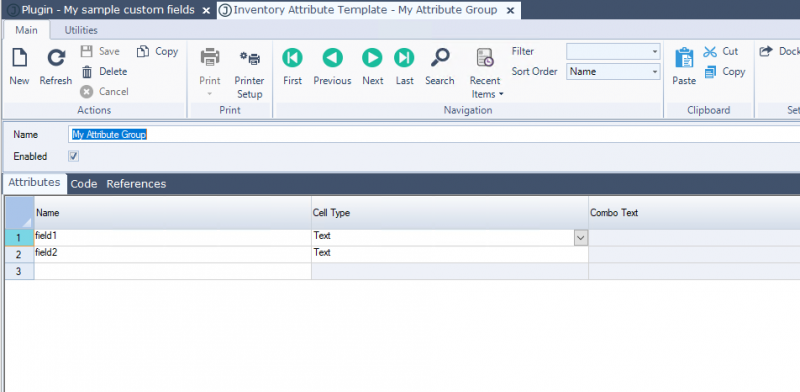
- Create an attribute group
The user can then add this group to an item, and then set the field values via the Attributes tab on inventory maintenance:
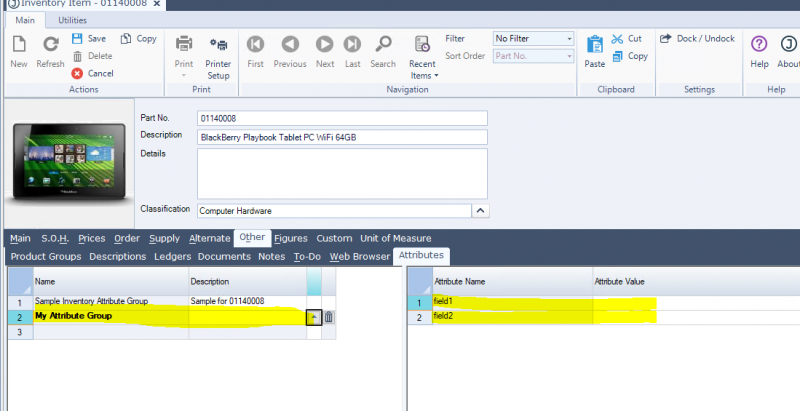
- Attribute values on inventory maintenance
If you're wanting something different, then you'll need to explain a bit clearer.
Mike
 Posted: Tue Oct 24, 2017 3:09 pm