Page 1 of 1

Specified cast is not valid

PostPosted: Fri Apr 20, 2018 7:20 pm
by minhhieu106
Hi Mike,

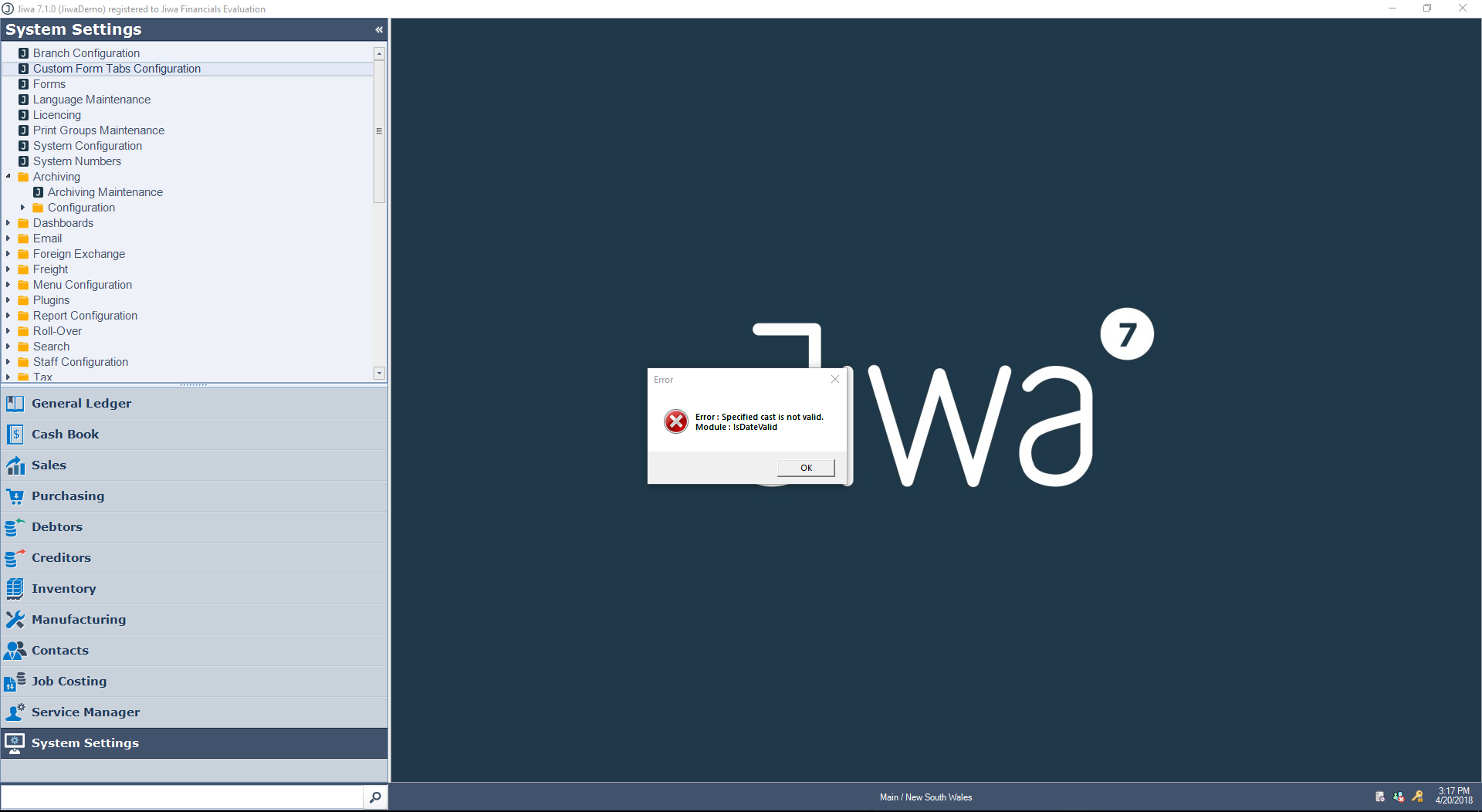
I got this errors when click on System Settings => Custom Form Tabs Configuration. Inventory => Maintenance

Image

---------------------------
Error
---------------------------
Error : Specified cast is not valid.

Module : IsDateValid
---------------------------
OK
---------------------------

Please help

Thanks

Re: Specified cast is not valid

PostPosted: Fri Apr 20, 2018 7:25 pm
by Mike.Sheen
Hi minhhieu106,

Please change your short date format in the Windows Control panel to be dd/MM/yyyy.

I can see from your Jiwa taskbar that you have MM/dd/yyyy format.

ControlPanel_Region.PNG
ControlPanel_Region.PNG (22.46 KiB) Viewed 2116 times


ControlPanel_Region_ShortDateFormat.PNG
ControlPanel_Region_ShortDateFormat.PNG (15.46 KiB) Viewed 2116 times


Mike

Re: Specified cast is not valid

PostPosted: Sat Apr 21, 2018 12:54 am
by minhhieu106
Hi Mike,

Are there any ways to change the datetime format on Jiwa? not change the format of OS.

Thanks,

Re: Specified cast is not valid

PostPosted: Sat Apr 21, 2018 11:17 am
by Mike.Sheen
minhhieu106 wrote:Are there any ways to change the datetime format on Jiwa? not change the format of OS.


No - but in reality these days we don't normally care about the date format. I recommended changing the date format to see if it fixed the issue, as there may still be some things depending on a specific date format.

I've checked our entire code base, all our stored procedures and all our plugins and nowhere do I see a method "IsDateValid". So, I don't know where this problem you are having is coming from.

I checked the custom forms tab code and nothing in there I can see does anything remotely related to dates - so the only thing I can think of is a plugin intercepting the load of forms or business logic - do you have any custom plugins enabled?

Did you try loading the form with the date format I recommended - and did it work?

Mike

Re: Specified cast is not valid  Topic is solved

PostPosted: Sat Apr 21, 2018 12:23 pm
by Mike.Sheen
Mike.Sheen wrote:No - but in reality these days we don't normally care about the date format. I recommended changing the date format to see if it fixed the issue, as there may still be some things depending on a specific date format.


Ok - I take that back!

After changing my region settings to use date format "M/d/yyyy" I get the same error when loading the custom form tabs maintenance form.

I found the cause to be if there are any existing custom form tabs rows, it will create an instance of the linked form in order to display in a drop-down combobox the available tabs.

The problem in my case was the Inventory Maintenance form (In demo data there is by default a custom forms tab for Inventory Maintenance) - it is trying to .ToString a date:

Code: Select all
StartingTransactionDate.Value = Manager.SysDateTime.ToString("dd-MM-yy")


And this is where the error occurs - the built-in .ToString() method for datetimes must internally invoke a IsDateValid method - and that is where the problem occurs.

I've logged this as DEV-6582.

Re: Specified cast is not valid

PostPosted: Sat Apr 21, 2018 2:33 pm
by minhhieu106
Hi Mike,

Thanks for investigation.

I changed the format to dd/MM/yyyy. It works fine now. I also don''t have any custom plugins on Jiwa.

Thanks,

Re: Specified cast is not valid

PostPosted: Thu May 17, 2018 2:01 pm
by Mike.Sheen
FYI - whilst the specific issue was reported as a bug - DEV-6582 - I ended up implementing improvement DEV-6614 to make Jiwa no longer care what date format the machine has throughout the whole system.

Re: Specified cast is not valid

PostPosted: Thu May 17, 2018 10:13 pm
by minhhieu106
Thank you Mike!